

What the Heck is Ansible Anyway? The Complete Guide
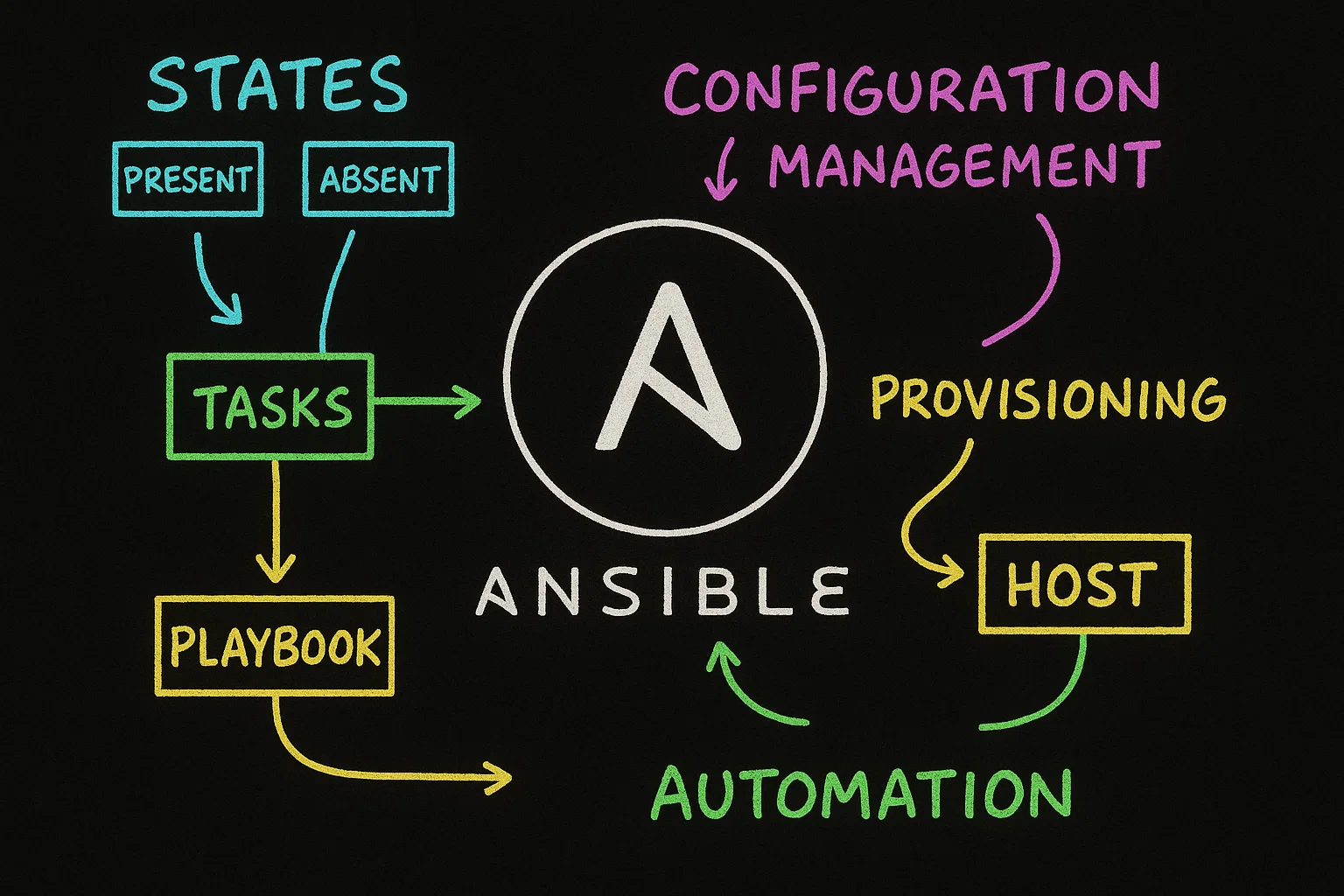
The simple, powerful, and agentless automation tool that reshaped IT operations.
If you're navigating the complex landscapes of DevOps, cloud engineering, or system administration, the name Ansible is inescapable. It's heralded as a revolution, a simple solution to complex problems. But beyond the hype, what is it? How does it work, and more importantly, why should you care?
This guide will demystify Ansible. We'll move beyond a simple definition into a deep dive of its architecture, its triumphs in servers, clouds, and networks, how it stacks up against the competition, and finally, a practical step-by-step guide to launching your automation journey.
Table of Contents
- The Core Idea: Human-Readable Automation
- The Architectural Brilliance: How Ansible Works
- Beyond Servers: Powerful Use Cases
- The Competitive Landscape: Ansible vs. The Rest
- The Other Side of the Coin: Pros and Cons
- Your Learning Path: A Step-by-Step Guide
- Conclusion: Embracing the Automation Mindset
The Core Idea: Human-Readable Automation
At its absolute core, Ansible is an open-source automation platform. It automates IT processes like provisioning, configuration management, application deployment, intra-service orchestration, and security compliance.
But its true genius lies in its philosophy: Simplicity and Maximum Readability.
Imagine you have to install Nginx and open port 80 on 100 servers. The manual process involves SSH-ing into each machine, running apt-get install nginx, editing configuration files, and starting the service. This is slow, tedious, and prone to human error. What if a step is missed on server #47?
Ansible solves this. You write a single, clear instruction file (a Playbook) that describes the desired state:
"We want Nginx installed, running, and port 80 accessible."
Ansible then handles the how. It connects to all 100 servers and executes the necessary commands to make the real state match your desired state. This concept is known as Idempotency—the ability to run the same operation multiple times without causing unintended effects after the first run. If Nginx is already installed and configured, Ansible does nothing. It's safe to run over and over.
This is all written in YAML (YAML Ain't Markup Language), a very clean, human-friendly data format. Here’s a glimpse:
---
- name: Ensure Nginx is installed and running
  hosts: webservers
  become: yes  # Use sudo

  tasks:
    - name: Install the latest Nginx package
      apt:
        name: nginx
        state: latest
        update_cache: yes

    - name: Allow port 80 in the firewall
      ufw:
        port: 80
        state: enabled
        proto: tcp

    - name: Ensure Nginx service is started and enabled on boot
      systemd:
        name: nginx
        state: started
        enabled: yes
Even without prior Ansible knowledge, you can understand the intent of this playbook. This low barrier to entry is a primary reason for its widespread adoption.
The Architectural Brilliance: How Ansible Works
Ansible's architecture is elegantly simple, defined by its agentless nature.
Key Components:
- Control Node: This is the machine where Ansible is installed. It's the "brain" from which all automation commands are run. It can be your laptop, a dedicated server, or a CI/CD runner.
- Managed Nodes: The servers, network devices, or cloud services you want to automate. These are the "hands" that carry out the tasks. Crucially, no Ansible-specific software needs to be installed on them.
- Inventory: A file (static or dynamic) that lists your Managed Nodes. It's simply a list of IP addresses or hostnames, often grouped for organization (e.g.,
[webservers],[dbservers]).# simple_inventory.ini [webservers] web1.example.com web2.example.com ansible_user=ubuntu # You can specify connection variables per host [dbservers] db01.example.com db02.example.com [production:children] # Group of groups webservers dbservers - Playbooks: The heart of Ansible. These are YAML files containing a list of plays and tasks that define your automation job. A play targets a group of hosts from the inventory and executes a list of tasks on them.
- Modules: The tools in Ansible's toolkit. Modules are discrete units of code that get executed. Each module typically handles a specific task—like
aptfor managing Debian packages,copyfor transferring files, orec2_instancefor managing AWS EC2 instances. When you run a playbook, Ansible copies the required modules to the managed nodes, executes them, and cleans up. There are thousands of built-in and community-provided modules. - Plugins: Pieces of code that extend Ansible's core functionality. They work on the control node and offer features like logging, caching, inventory sources, and transformation of data.
The Connection Flow:
- You run
ansible-playbook -i inventory.yml my_playbook.yml. - Ansible parses the inventory to find the target hosts.
- It connects to each managed node via SSH (for Linux/Unix) or WinRM (for Windows), using the credentials you provide.
- It temporarily copies the required modules and scripts to the remote node (usually to a hidden directory in
/tmp). - It executes the module, passing any necessary parameters.
- The module returns JSON-formatted output about success, failure, and any changes made.
- Ansible reports this result back to the control node and moves to the next task.
- The temporary files are cleaned up.
This agentless model eliminates a massive maintenance burden—you never have to worry about upgrading an agent daemon on thousands of machines.
Beyond Servers: Powerful Use Cases
While born in the world of server configuration, Ansible's reach has expanded dramatically.
1. Traditional System Configuration & Application Deployment
This is its bread and butter. Use it to:
- Bootstrap OSes: Standardize kernel settings, create users, configure
sudoers, and harden security settings on every new machine. - Multi-Tier Application Deployment: Orchestrate complex deployments. A single playbook can provision a database server, set up a web server, deploy the application code, and configure a load balancer, handling the dependencies between each step.
- Continuous Compliance: Enforce security policies. A playbook can check that certain ports are closed, specific software is uninstalled, or audit logs are configured correctly, automatically remediating any drift from the baseline.
2. Cloud Provisioning and Management (Infrastructure as Code - IaC)
Ansible isn't just for configuring existing servers; it can create them. Major cloud providers have extensive Ansible module collections:
- AWS: Provision EC2 instances, S3 buckets, VPCs, Security Groups, and Lambda functions with modules like
ec2_instance,s3_bucket, andcommunity.aws.lambda. - Azure: Create VMs, resource groups, and manage Azure Kubernetes Service (AKS) with the
azure.azcollection. - Google Cloud: Manage Google Compute Engine (GCE) instances, GKE clusters, and Cloud Storage buckets with the
google.cloudcollection.
This allows you to treat your entire infrastructure—from the cloud network to the application running on a VM—as code defined in Ansible playbooks.
3. Network Automation (The Game Changer)
This is where Ansible made a seismic impact. Before Ansible, network automation often relied on custom scripts screen-scraping CLI outputs via expect scripts—a fragile and error-prone process.
Ansible provides a declarative, idempotent model for network devices from Cisco, Juniper, Arista, and others.
- How it works: Instead of SSH, it uses the device's API (e.g., NETCONF, RESTCONF) or a specialized connection plugin for CLI.
- What it does: You can write a playbook to push consistent ACLs (Access Control Lists) across all your switches, collect facts from routers to build a network inventory, or perform scheduled configuration backups.
- name: Configure SNMP on a Cisco IOS Switch hosts: cisco_switches gather_facts: no connection: network_cli tasks: - name: Apply SNMP configuration ios_config: lines: - snmp-server community myROcommunity RO - snmp-server community myRWcommunity RW - snmp-server location "New York Datacenter" - snmp-server contact [email@example.com](mailto:email@example.com) save_when: changed - Benefit: It brings the same DevOps practices of version control, peer review, and continuous integration to network operations.
The Competitive Landscape: Ansible vs. The Rest
How does Ansible compare to other configuration management tools?
| Feature | Ansible | Chef | Puppet | SaltStack |
|---|---|---|---|---|
| Architecture | Agentless (SSH/WinRM) | Agent-based | Agent-based (usually) | Agent-based or Agentless (SSH) |
| Configuration Language | YAML (declarative) | Ruby (DSL) | Puppet DSL (declarative) | YAML or Python (imperative) |
| Learning Curve | Very Gentle | Steep (requires Ruby knowledge) | Moderate | Moderate to Steep |
| Master Server Required | No (runs from any control node) | Yes (Chef Server) | Yes (Puppet Master) | Yes (Salt Master), but minions can run in standalone mode |
| Idempotency | Yes | Yes | Yes | Yes |
| Primary Focus | Broad automation (provisioning, config, app deploy, orchestration) | Configuration Management | Configuration Management | Configuration Management, Remote Execution |
| Ideal For | Getting started quickly, orchestration, network automation, mixed environments. | Environments requiring complex, programmatic configurations. | Large, homogeneous enterprise infrastructures. | Environments needing high-speed execution and real-time data. |
The Verdict: Ansible's agentless model and YAML-based syntax give it a significant advantage in ease of adoption and flexibility. While Chef and Puppet are incredibly powerful and mature for pure configuration management, especially at massive scale, they carry more overhead. Ansible excels as a general-purpose automation engine that can glue together every part of your IT stack.
The Other Side of the Coin: Pros and Cons
Pros:
- Dead Simple to Start: The learning curve is minimal. You can be productive in an afternoon.
- Agentless: The biggest operational advantage. No security headaches or maintenance burden of managing agents.
- Powerful and Flexible: Thousands of modules cover almost every IT domain.
- Excellent Readability: YAML playbooks are self-documenting and easy for teams to collaborate on.
- Strong Community and Corporate Backing: A massive community creates content and modules. Backed by Red Hat, ensuring long-term stability and enterprise support.
Cons:
- Performance at Extreme Scale: For very large infrastructures (10,000+ nodes), the agentless SSH-based model can be slower than agent-based tools that maintain a persistent connection to a master. This can be mitigated with techniques like pipelining and using
ansible-pullmode. - Limited Imperative Control: YAML is great for declarative state but can be clunky for complex logic. While loops and conditionals exist, they can feel verbose compared to a full programming language.
- Debugging Can Be Tricky: When a playbook fails on a remote host, debugging the specific issue on that host can require additional steps, as Ansible abstracts the underlying shell commands.
Your Learning Path: A Step-by-Step Guide
Ready to dive in? Follow this structured path.
Step 1: Foundation & Setup (Day 1)
- Install Ansible: On your macOS/Linux machine, it's often just
sudo pip3 install ansibleorbrew install ansible. On Windows, use the Windows Subsystem for Linux (WSL). - Verify: Run
ansible --versionto confirm it's installed. - Set up a Lab: You need machines to manage. Use VirtualBox/VMware to create 2-3 Ubuntu VMs. Alternatively, use Vagrant to automate the creation of these VMs (
Vagrantfile).
Step 2: Your First Commands (Day 1)
- Create an Inventory File: Make a file called
hosts.iniand add the IP addresses of your lab VMs.[my_servers] 192.168.1.10 ansible_user=ubuntu 192.168.1.11 ansible_user=ubuntu - Test Connectivity: Use the
pingmodule. This isn't an ICMP ping; it's an Ansible module that tests SSH connectivity and Python availability.
A successful return will sayansible -i hosts.ini my_servers -m ping"ping": "pong".
Step 3: Master the Basics (Week 1)
- Ad-Hoc Commands: Learn to run quick, one-off tasks without writing a playbook. This is great for exploration.
# Check uptime on all servers ansible -i hosts.ini my_servers -a "uptime" # Install a package on Ubuntu servers ansible -i hosts.ini my_servers -b -m apt -a "name=curl state=latest" # -b stands for "become" (use sudo) - Write Your First Playbook: Convert an ad-hoc command into a reusable playbook (like the Nginx example earlier).
- Understand Idempotency: Run your playbook, then run it again. Observe that on the second run, Ansible reports
"changed": 0because everything is already in the desired state.
Step 4: Dive Deeper (Weeks 2-3)
- Variables: Learn to use variables in your playbooks to make them dynamic. Define them in the inventory, in a separate
group_vars/all.ymlfile, or directly in the playbook. - Handlers: Use handlers to trigger actions, like restarting a service, only when a change is made by a task.
- Templates: This is a superpower. Use the
templatemodule to dynamically generate configuration files (e.g., for Nginx, Apache) using the Jinja2 templating language. You can inject variables and logic into config files.
Step 5: Real-World Practice (Week 4+)
- Create a Project: Automate something real. For example, write a playbook that fully provisions a web server: configures the OS, deploys a TLS certificate, installs and configures Nginx/PHP, and clones your application code from Git.
- Version Control: Store your playbooks and inventory in a Git repository. This is your "Infrastructure as Code."
- Explore Roles: Roles are a way to automatically load related variables, tasks, handlers, and files based on a known file structure. They are the primary mechanism for breaking up and reusing playbook content. Use the
ansible-galaxycommand to create a role skeleton.
Step 6: Specialize (Ongoing)
- Ansible for Cloud: Pick a cloud provider (AWS is a great start) and learn its Ansible modules. Learn how to use dynamic inventory to automatically discover your cloud resources.
- Ansible for Networking: If you're interested, set up GNS3 or Eve-NG to create a network lab and practice automating Cisco IOS or other platforms.
- Ansible Tower / AWX: Explore the web-based UI and API for Ansible. This enterprise-grade platform adds role-based access control (RBAC), a graphical inventory dashboard, job scheduling, and logging—making it possible for entire teams to collaborate on automation safely.
Conclusion: Embracing the Automation Mindset
Ansible is more than just a tool; it's a gateway to an automation mindset. It challenges the notion that any manual, repetitive task is acceptable. It empowers teams to define their infrastructure as code, making it versionable, repeatable, and shareable.
Its simplicity is its greatest strength, allowing sysadmins, developers, and network engineers to speak a common language of automation. Whether you're managing three servers or three thousand, deploying a simple website or a complex microservice architecture, Ansible provides a robust, reliable, and understandable framework to get the job done.
So, what are you waiting for? Start with ansible --version today. Your future self, free from tedious manual work, will thank you.
Your journey to automation starts with a single playbook.